Agentic banking is here to stay. Here’s how Mercury keeps you in control.
Mercury Agent Controls let you decide what your agents can do, see every agent connected to your account, monitor a record of what they’ve done, and disconnect them in seconds.
Many traditional banks are ill at ease with agents working in their platforms. And rather than risk customers providing agents with backdoor access to their systems (such as through password sharing or browser access), they’re blocking agents from their platforms entirely.
When it comes to agents, safety and control is paramount. But blocking people from using agents to work denies where the world is heading, too. Agents are simply part of how many founders build today.
At Mercury, it’s our job as a company that deals with money to find a way to both empower our customers and exercise strict security and safety. That’s why we’ve designed our systems to embrace agentic work safely and with control, rather than block it.
Introducing Mercury Agent Controls: permissions, approvals, spending limits, and activity tracking that apply to agents just as they apply to people. With Agent Controls, you can see every agent connected to your account, who it belongs to, what it can do, and a clear record of actions taken by an agent. Plus, you have the ability to disconnect an agent in seconds.
In short, you decide what your agents can do with your money.
When agents access your bank account through unofficial channels (e.g., by using your browser), it’s difficult for both the bank and you to keep track of which actions are person-led versus agent-led. When you can’t see what’s happening, it’s hard to know if the correct things are happening (and nothing more).
Rather than ban agents outright, we decided to take an approach that lets you work how you want — but responsibly and with control.
The five layers of control
We built controls around one simple idea: An agent never gets more access than you (or your employees), and you can always scope permissions down further for more control.
You decide who can connect agents
Each person’s role determines whether they can connect an agent to Mercury via the MCP. Admins and Bookkeepers can, while Teammates can’t. When you create a custom role, you choose whether it can connect agents. Removing an employee? Their agents will disconnect automatically.
You decide how much access your agent gets
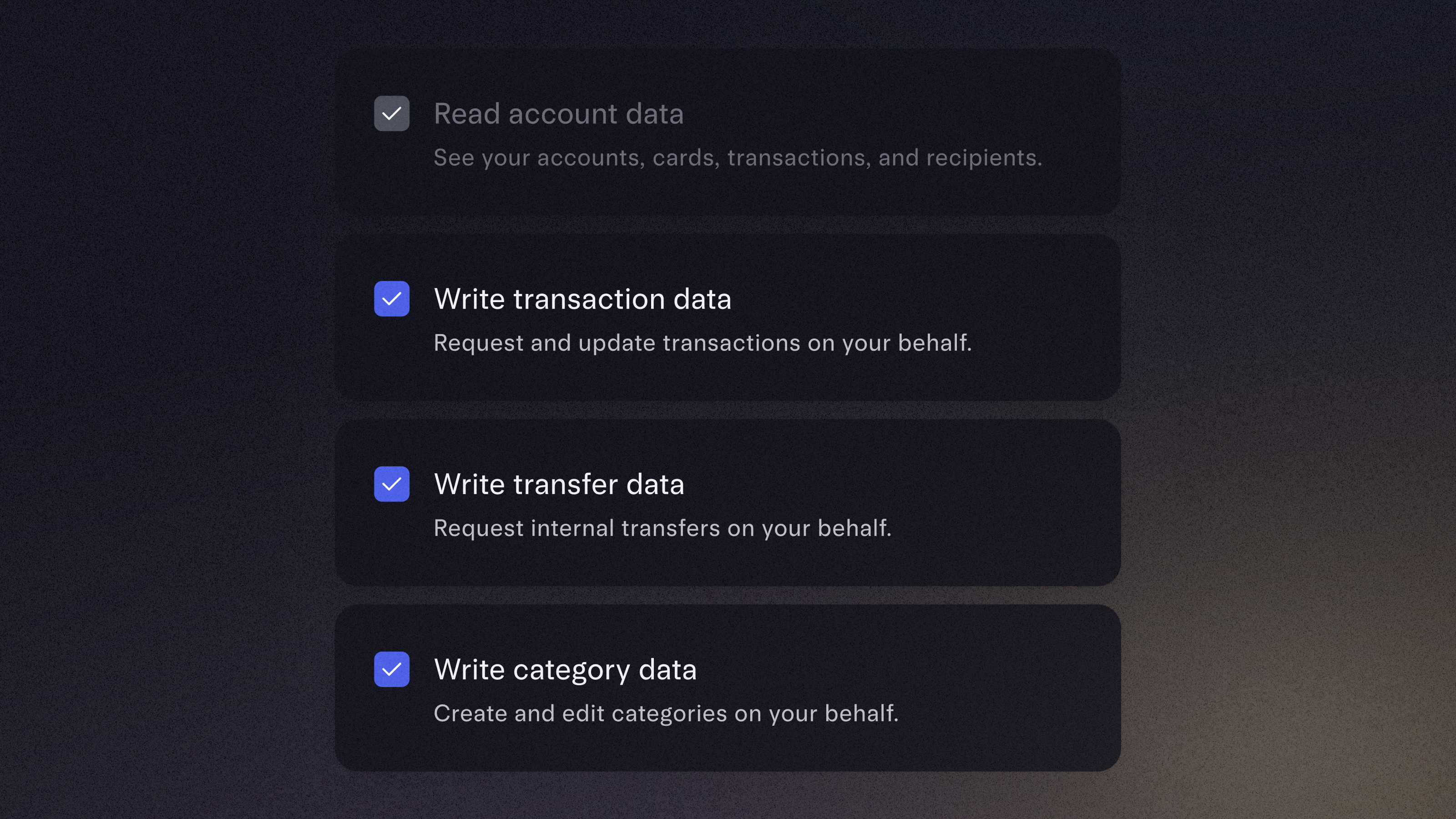
A user’s role type determines the ceiling of an agent’s permissions, but you can always scope down what you want an agent to be able to do. If you have an employee who isn’t allowed to send a payment, that permission won’t appear in the list of permissions to grant when they are connecting an agent. For admins with full permissions, you can choose to only grant an agent specific permissions you’re comfortable with for greater control.
Mercury enforces the rules on every request
Every time an agent asks to see or do something, Mercury checks that it’s allowed. Say an employee has no access to the company’s payroll account, but they ask their agent, “What’s the balance in payroll?” The agent requests that information from Mercury, and Mercury won’t return it because the employee does not have access to that account information.
A person approves every payment
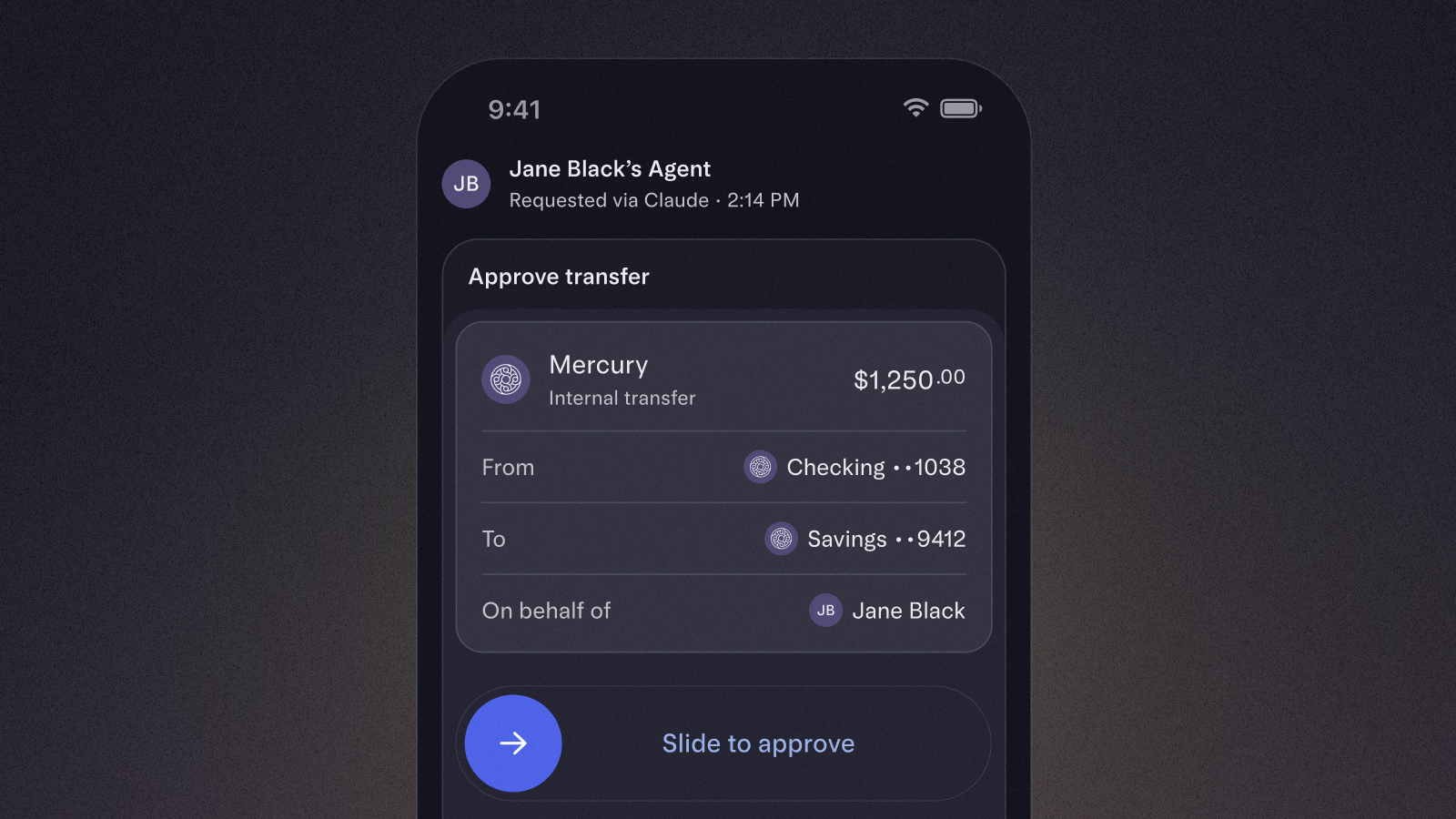
An agent can prepare a payment or transfer, but it can never send one on its own without a human in the loop. Any money movement an agent requests requires a quick tap of approval in Mercury, and your team’s existing approval rules still apply. Requests an agent prepares are clearly marked, so whoever approves them knows an agent was involved.
Cut off agent access at any time
Disconnect any agent in seconds and it loses access to your account right away. Whether something looks off or you simply don’t need it anymore, you can end its access whenever you decide to.
In Mercury, agents change who does the work, but they don’t change who's in charge. Here's how you can use agents with Mercury while staying in control.
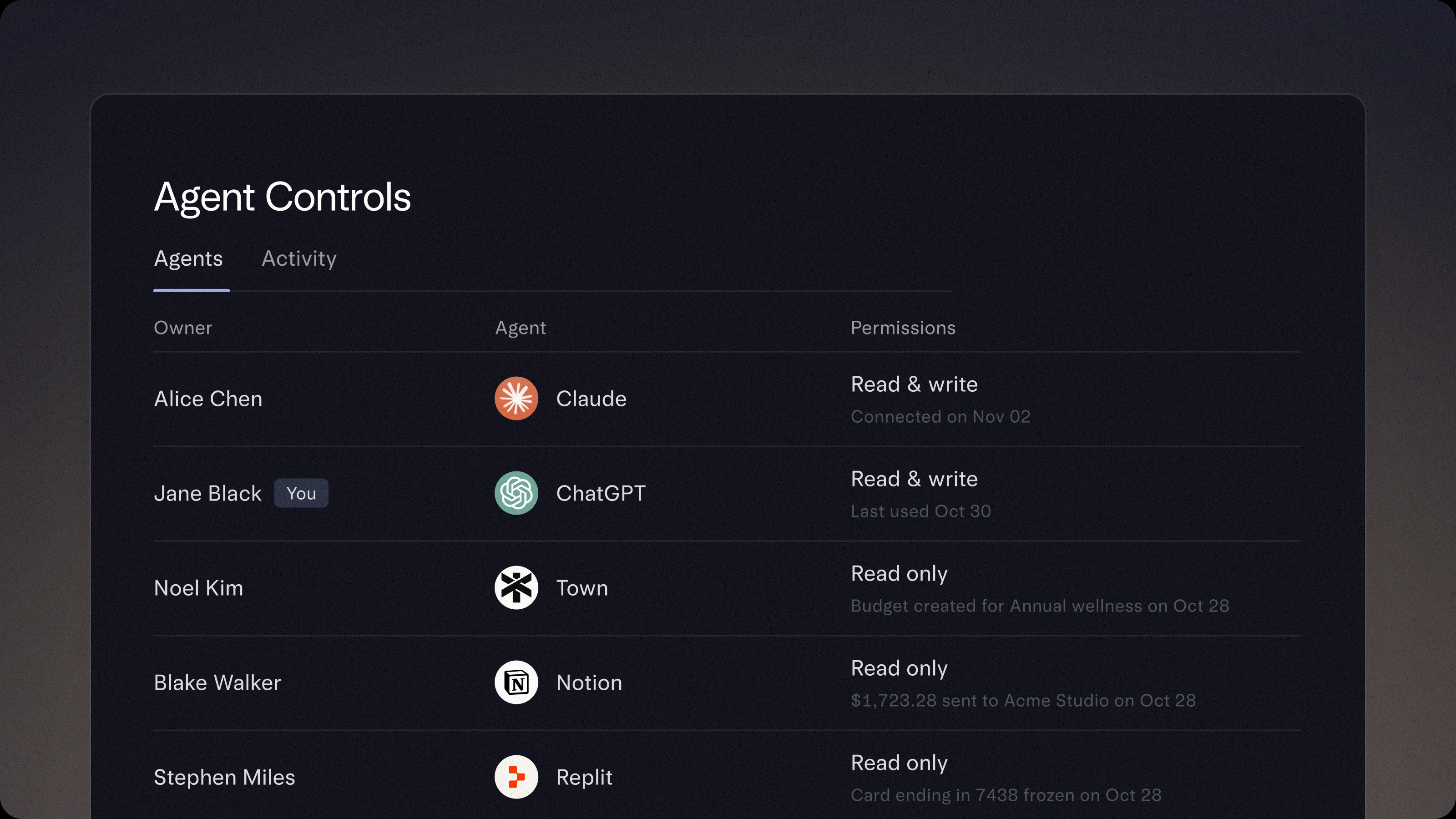
Manage all your agents from one place
With Mercury Agent Controls, you can see all agents connected to your account, which user each is associated with, and what they can do. Connect new agents or disconnect agents in seconds.
The Mercury MCP is available as an official integration with several popular tools, such as Claude, ChatGPT, Cursor, and Grok Bot — and we’re adding more. If your agent of choice is not on this list, you can connect an MCP client manually.
Deploy agents for financial tasks (with you in the loop)
You can authorize agents to take financial tasks off your plate in Mercury. For example, you can use agents to do things like analyze your finances, categorize transactions, and set up payments and transfers. Any money movement requires human approval.
Monitor your agents’ track record
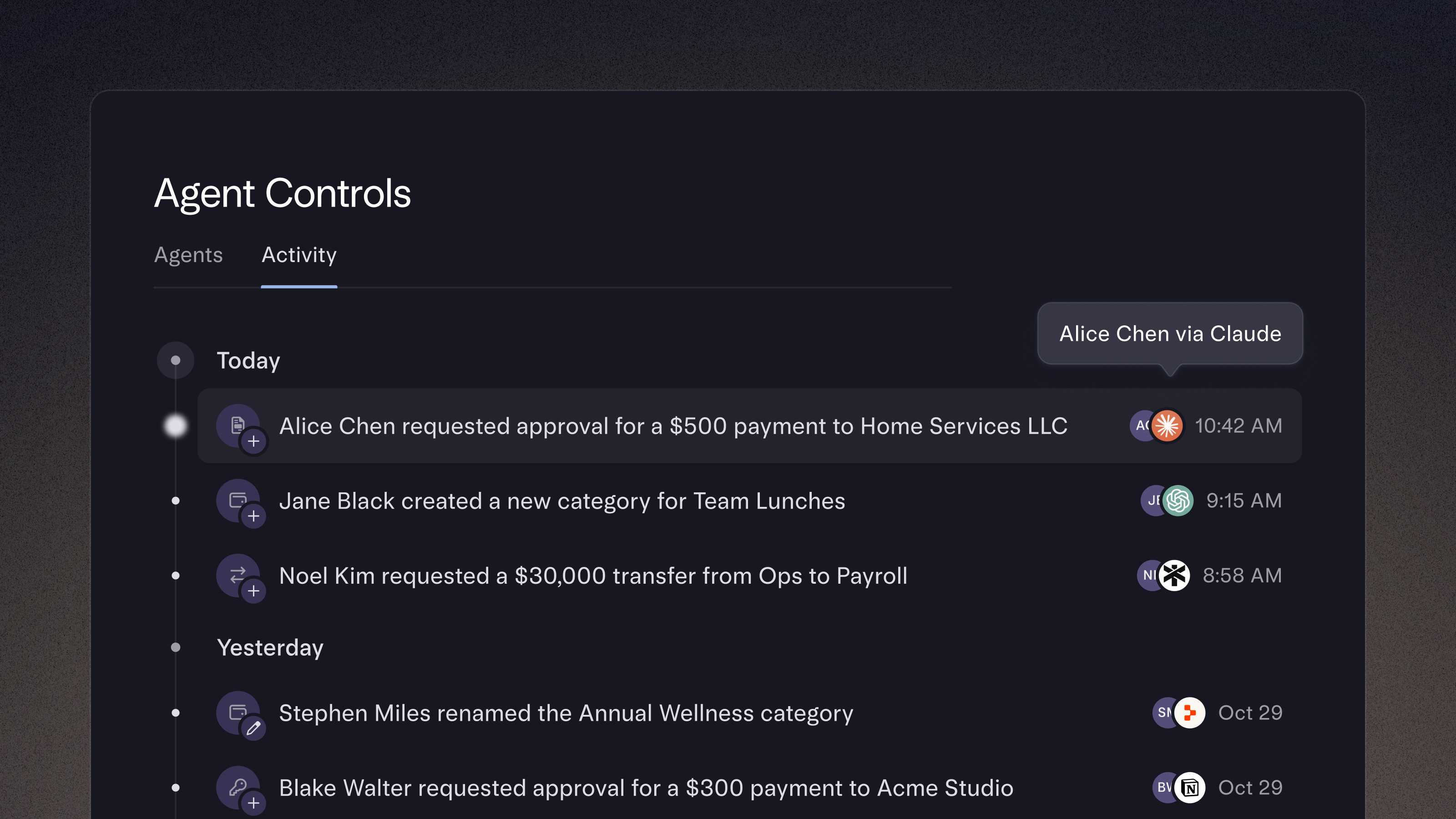
To prevent work from happening in a black box, you can review agent activity in the activity log. Review what agents have done across your account, and see both the agent that acted and the user the agent is associated with, so you’re never out of the loop.
Delegating financial work to agents only works if you can trust what they’re doing. At Mercury, that trust comes from control and transparency: you set the rules, Mercury enforces them, and you see a record of what your agents do.
Sara is a senior software engineer at Mercury focused on our API and its surfaces (MCP & CLI). Outside of work, you can find her logging miles in one of New York’s many green spaces or catching the latest 4K restoration at IFC.