Filter Menu
Apply filters to the table, click close when done
Business
+1 more
Business
Jun 15, 2025
Jun 15, 2025
Matching card receipts from your personal email
You can now send receipts from card transactions directly from your personal inbox to receipts@mercury.com — and we’ll match them to the right transaction for you.
Just add any personal emails to your My Profile in Settings, and you’re good to go.
Just add any personal emails to your My Profile in Settings, and you’re good to go.
Jun 15, 2025
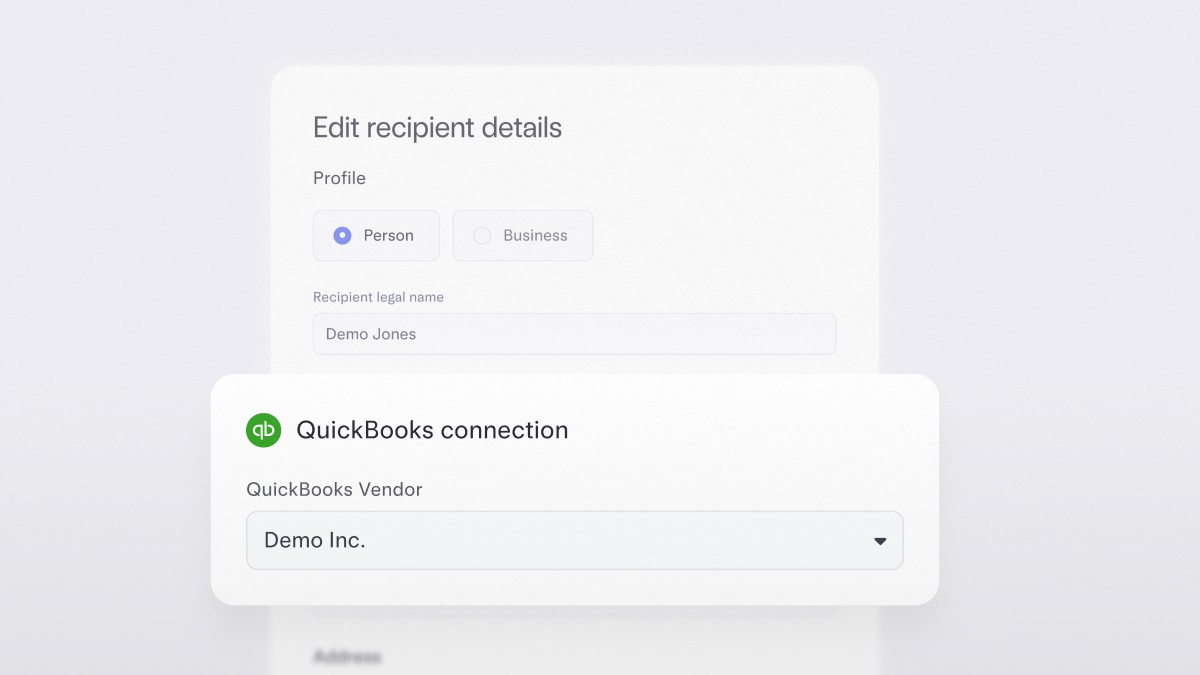
Syncing vendor details with ease
No more jumping between platforms to fix a name or match a record. As you create recipients or make bill payments in Mercury, you can also match vendor details or create and sync new vendors to QuickBooks Online or NetSuite. That means fewer duplications, cleaner 1099s, and more confident books
Available for customers that have integrated Mercury with QuickBooks Online or NetSuite.
Available for customers that have integrated Mercury with QuickBooks Online or NetSuite.
Jun 15, 2025
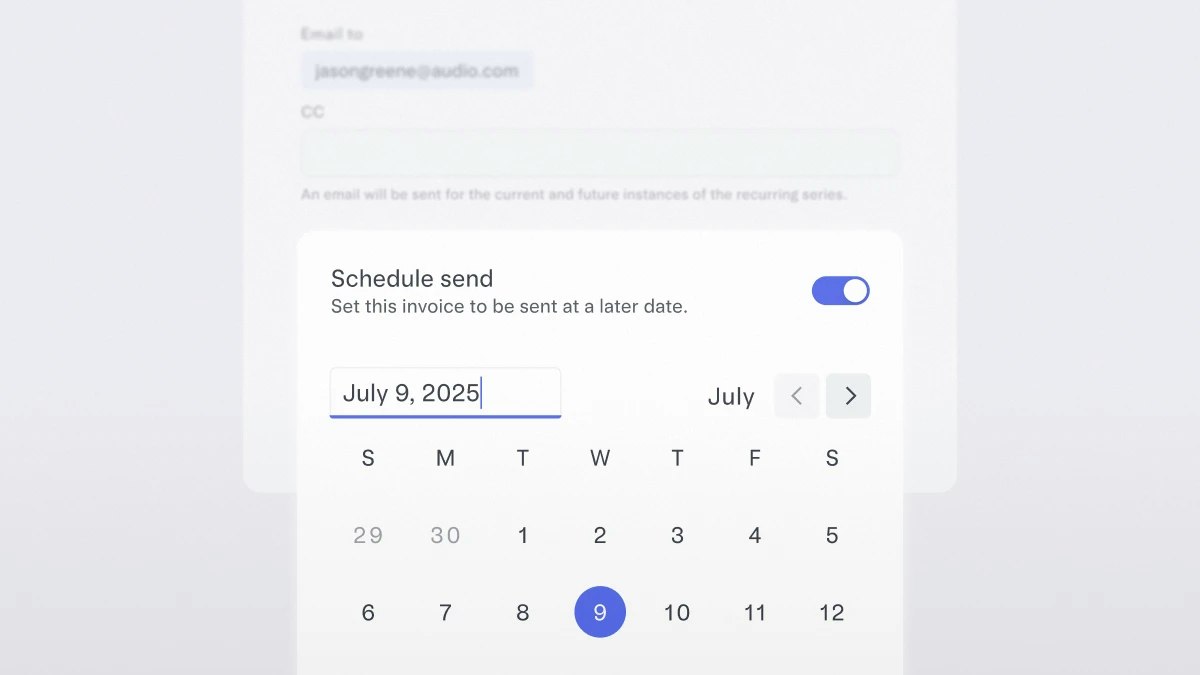
Timing your invoices
Now you can set it and forget it. With Mercury Invoicing, you can schedule invoices to go out on a future date — giving you more control over cash flow and fewer manual tasks.
Just head to Invoicing, click Create & Schedule, pick your date, and you’re set.
Just head to Invoicing, click Create & Schedule, pick your date, and you’re set.
Jun 5, 2025
Creating your own categories for employee expenses
Define your own transaction categories based on the categories that matter to your business, then choose where and how you surface them to employees to streamline accounting. Now you can create categories that reflect your company’s policies — whether that’s “Conference Travel” or “Health & Wellness” — and map them to GL codes to automate categorization.
Create categories from your dashboard by heading to Settings > Categories. Choose where they appear for employees — for reimbursements, card transactions, and more.
Create categories from your dashboard by heading to Settings > Categories. Choose where they appear for employees — for reimbursements, card transactions, and more.
May 15, 2025
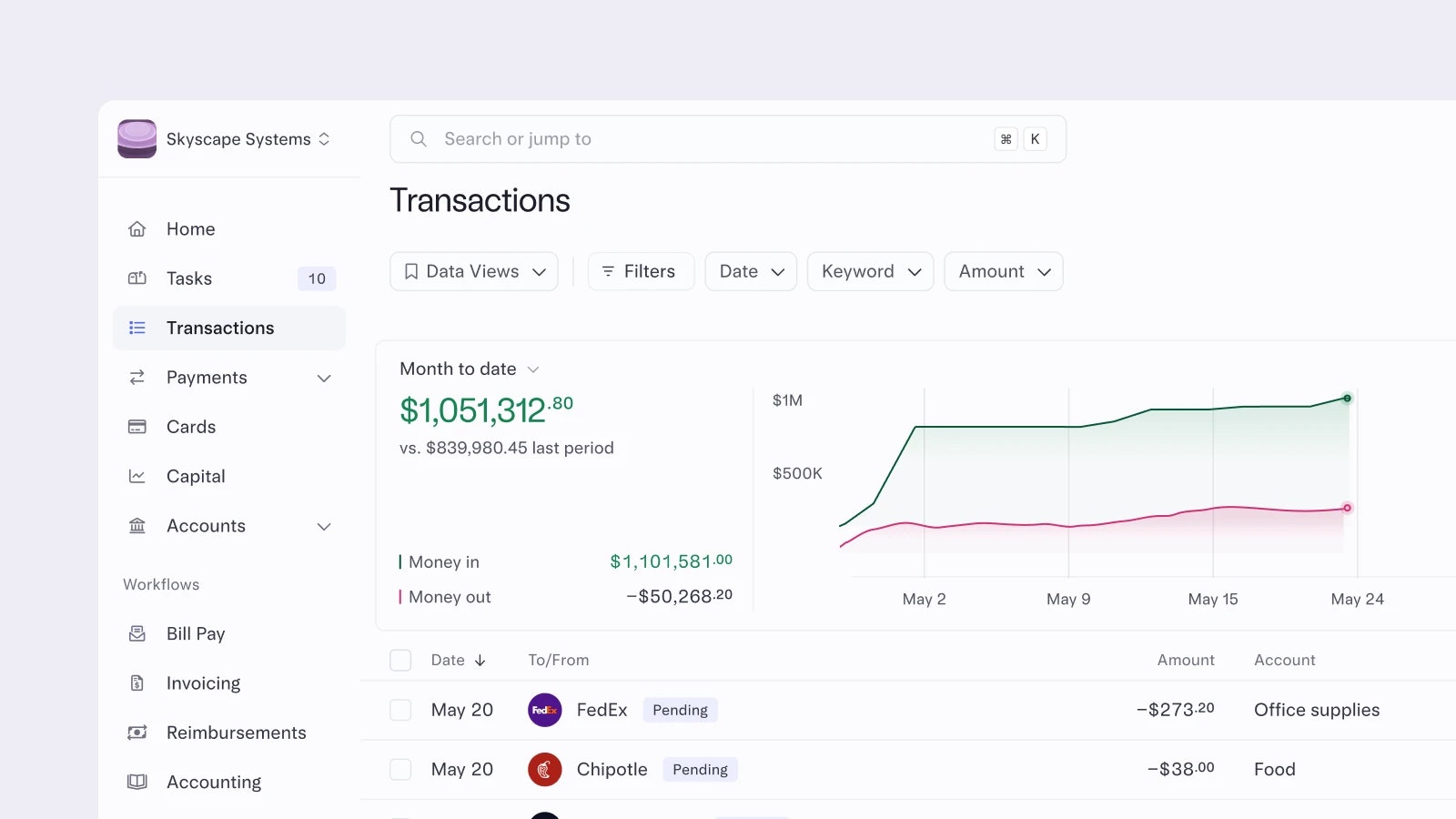
Visualizing your cashflow
The Transactions page in Mercury just got an upgrade. You’ll now see real-time graphs showing your monthly cashflow and spend broken down by top vendor, category, account, or card – front and center. These data visualizations update dynamically as you filter your transaction data, so you’re always looking at what matters.
We’ve also added grouping and sorting tools, giving you even more control over how you analyze your transactions. Paired with Data Views, it’s now easier than ever to spot spending trends and keep a closer eye on your cashflow – without jumping between spreadsheets.
To see your cashflow insights, open your Transactions page. You’ll be able to Group or Sort data under the Customize menu in the top right.
We’ve also added grouping and sorting tools, giving you even more control over how you analyze your transactions. Paired with Data Views, it’s now easier than ever to spot spending trends and keep a closer eye on your cashflow – without jumping between spreadsheets.
To see your cashflow insights, open your Transactions page. You’ll be able to Group or Sort data under the Customize menu in the top right.
May 15, 2025
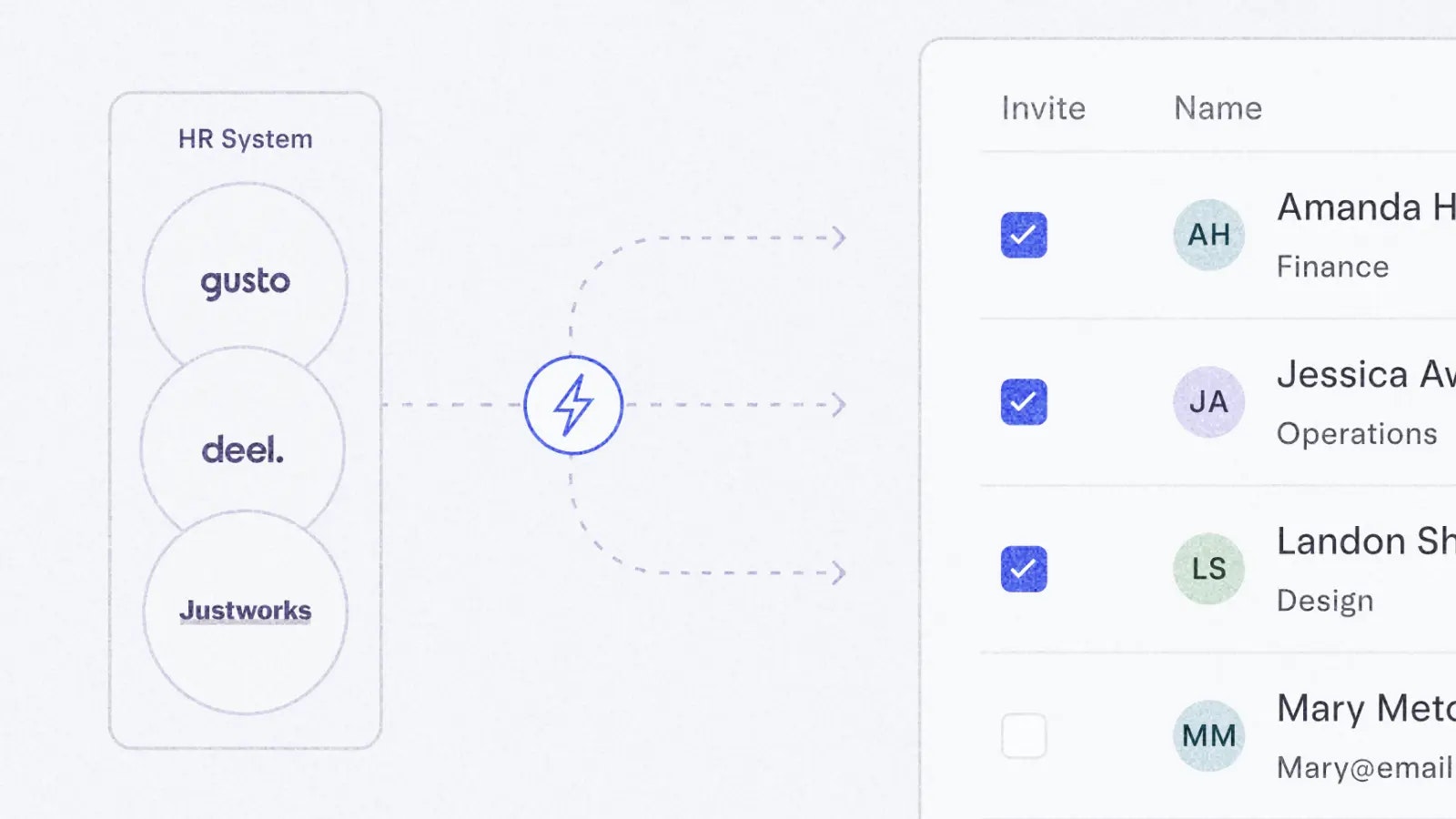
Linking payroll and HR with your Mercury account
You can now integrate Mercury directly with your HR and payroll systems (like Gusto, Deel, and Justworks) to:
Want to see and learn more? Head to the Integrations page in Settings and click “Team Management.”
- Invite all (or just some) teammates, customize their roles and permissions, and issue cards with tailored limits and controls.
- Keep your team up to date with synced employee details (like title and department changes) so your team’s information is consistent.
- Streamline personnel changes with automatic offboarding prompts when employees leave your company so they’re removed from your Mercury accounts.
Want to see and learn more? Head to the Integrations page in Settings and click “Team Management.”
May 15, 2025
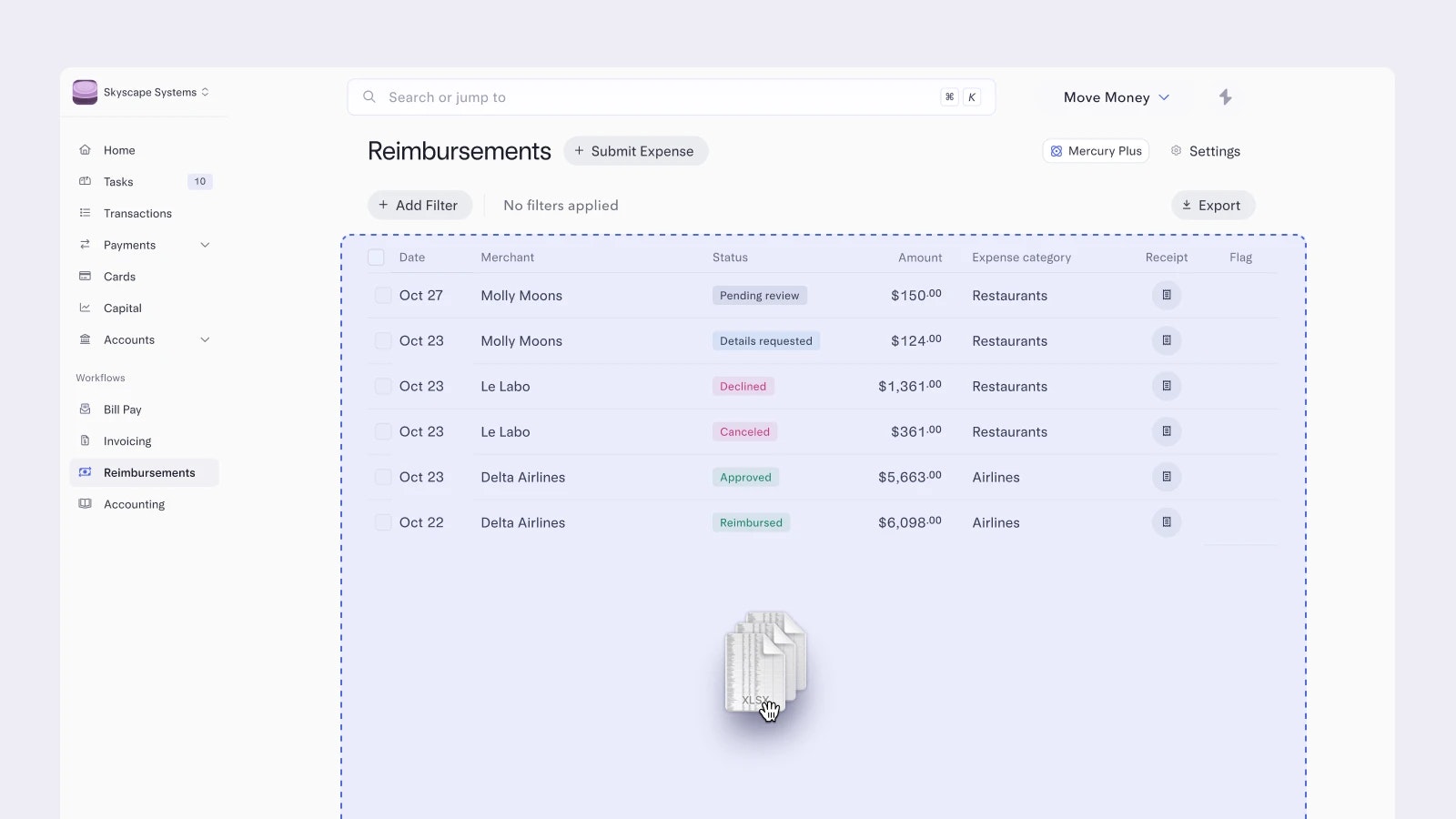
Submitting multiple reimbursements at once
You’re back from a trip and need to submit multiple expenses for reimbursement… but who has the time? We’ve got you. You can now upload all your receipts at once and we'll automatically scan them for the amount, merchant, and date. From there, you can review each individually before submitting, or bulk-edit them to select a category and add notes for all of them at the same time.
Head to your Reimbursements page and click “Submit Expense” to see for yourself.
Head to your Reimbursements page and click “Submit Expense” to see for yourself.
May 1, 2025
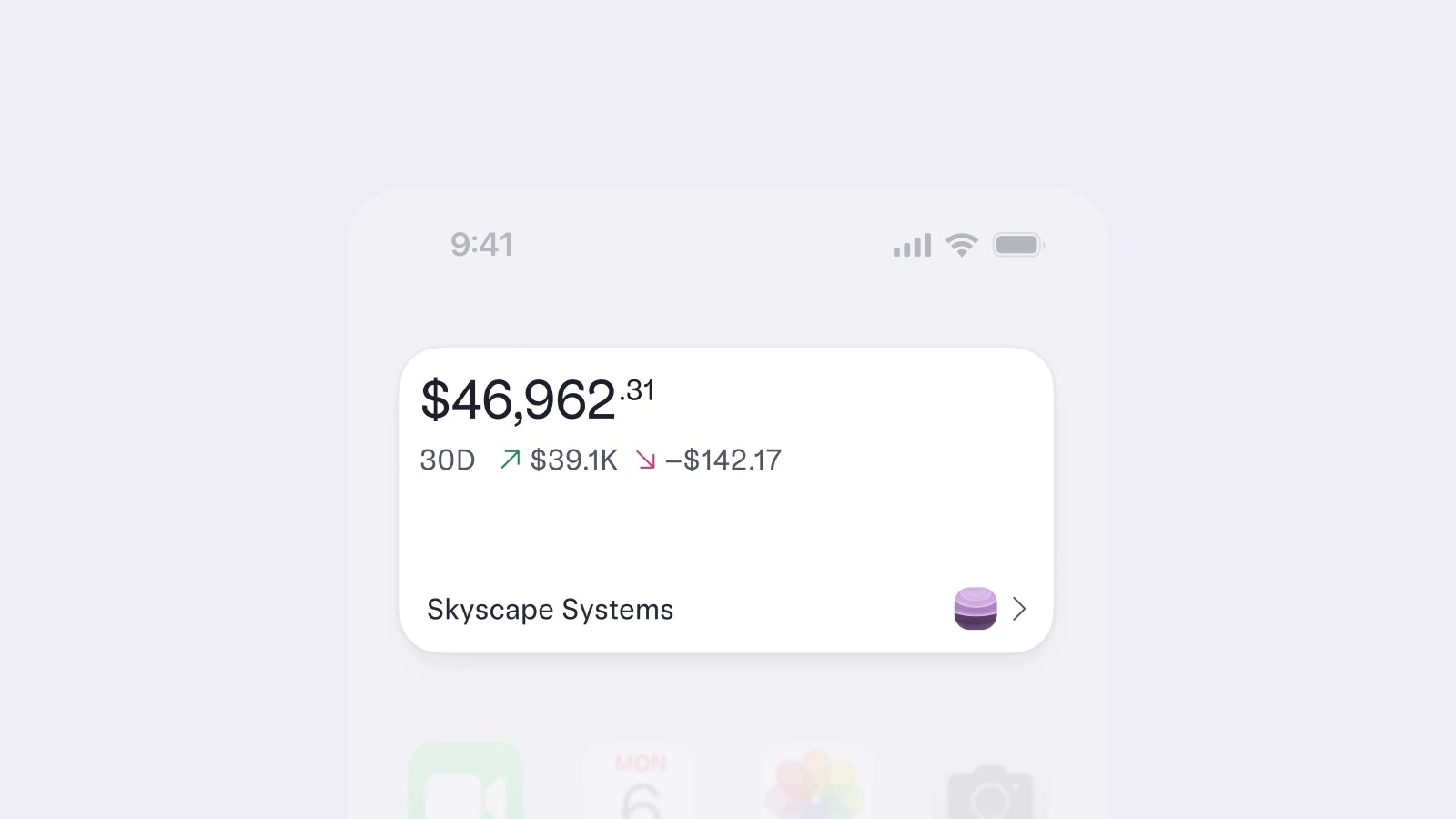
Adding Mercury widgets to your home screen
iOS Mercury widgets have arrived. Now you can see your total balance, specific account balances, or pending tasks without opening the app.
Just update to the latest version of the Mercury iOS app (5.2.0 or later) and make sure you're on iOS 17 or later. To add a widget, long-press your home screen, tap Edit > Add Widget, search Mercury, and choose the view you want.
Just update to the latest version of the Mercury iOS app (5.2.0 or later) and make sure you're on iOS 17 or later. To add a widget, long-press your home screen, tap Edit > Add Widget, search Mercury, and choose the view you want.
May 1, 2025
Going dark (mode) on web
Whether you're reviewing metrics over morning coffee or fine-tuning burn rate after hours, your dashboard now adjusts to your rhythm. Switch to dark mode for a more focused, low-glare experience — all the same data, just easier on the eyes.
If your system settings are already set to dark mode, your Mercury dashboard should have already followed suit automatically. To switch between system, dark, and light modes, click on your profile in the top right corner of your dashboard, hover over “Appearance”, and select a theme.
If your system settings are already set to dark mode, your Mercury dashboard should have already followed suit automatically. To switch between system, dark, and light modes, click on your profile in the top right corner of your dashboard, hover over “Appearance”, and select a theme.
61–70 of 83